AI camera orbit from one image
Three scenes. Three camera arcs.
Published · Aixio
Three original scenes. Three useful camera moves. Watch the finished edits, then compare their inputs and sampled frames.
Lamp · product motion card

Place after the static product hero, before the finish board. The shade, stem and base stay recognizable while the white block and dark column change overlap.
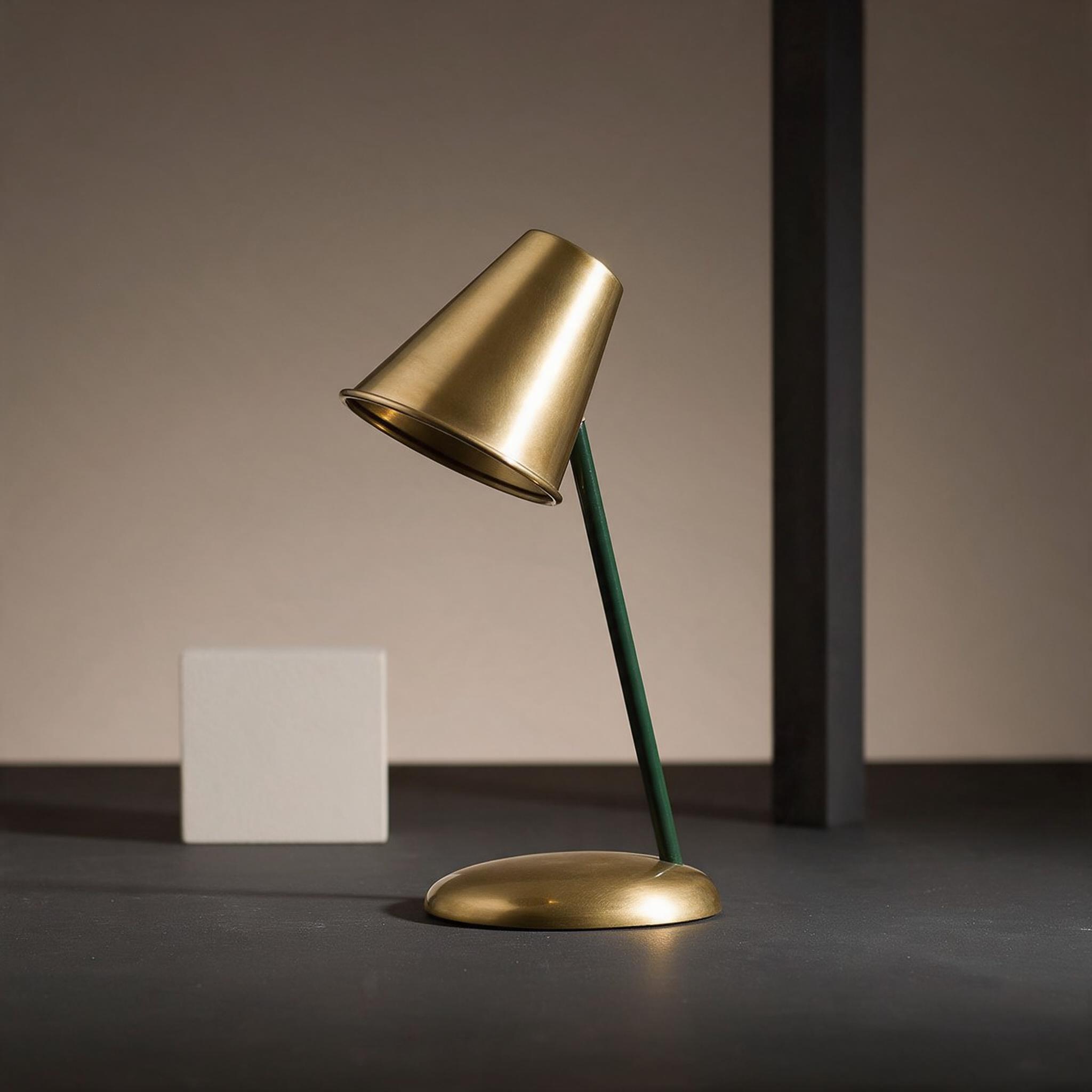
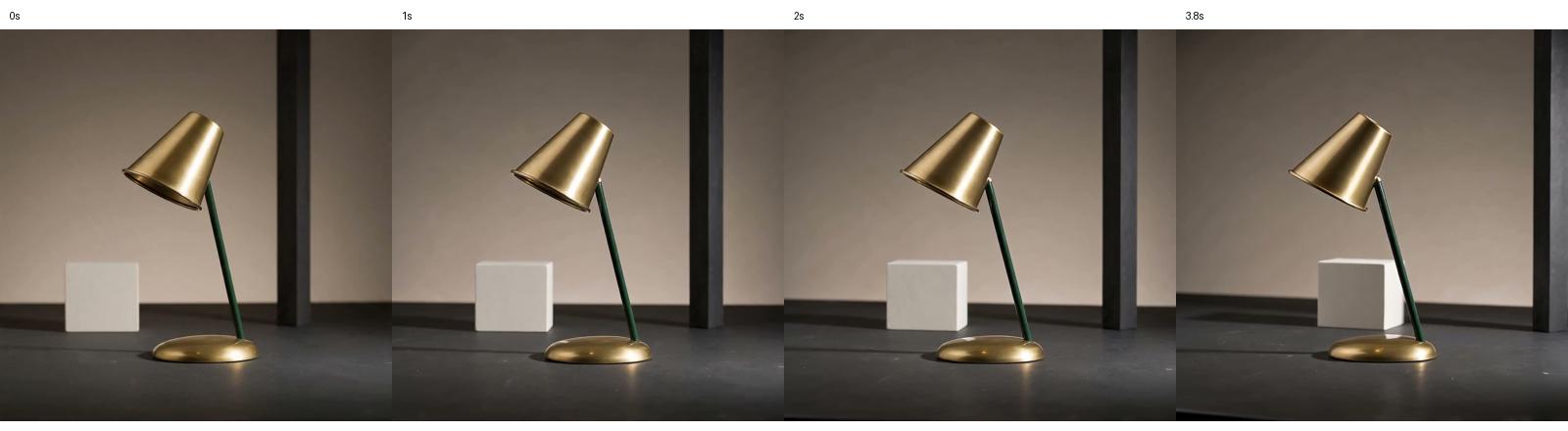
The source stem leans despite the straight-stem request. Creative concept; hidden hardware is not verified. CTA: Review finish options.
Cup · a frozen editorial moment

A visual pause between a title and ingredient details. The rod moves right, the red cube becomes more hidden, and the lemon stays suspended.
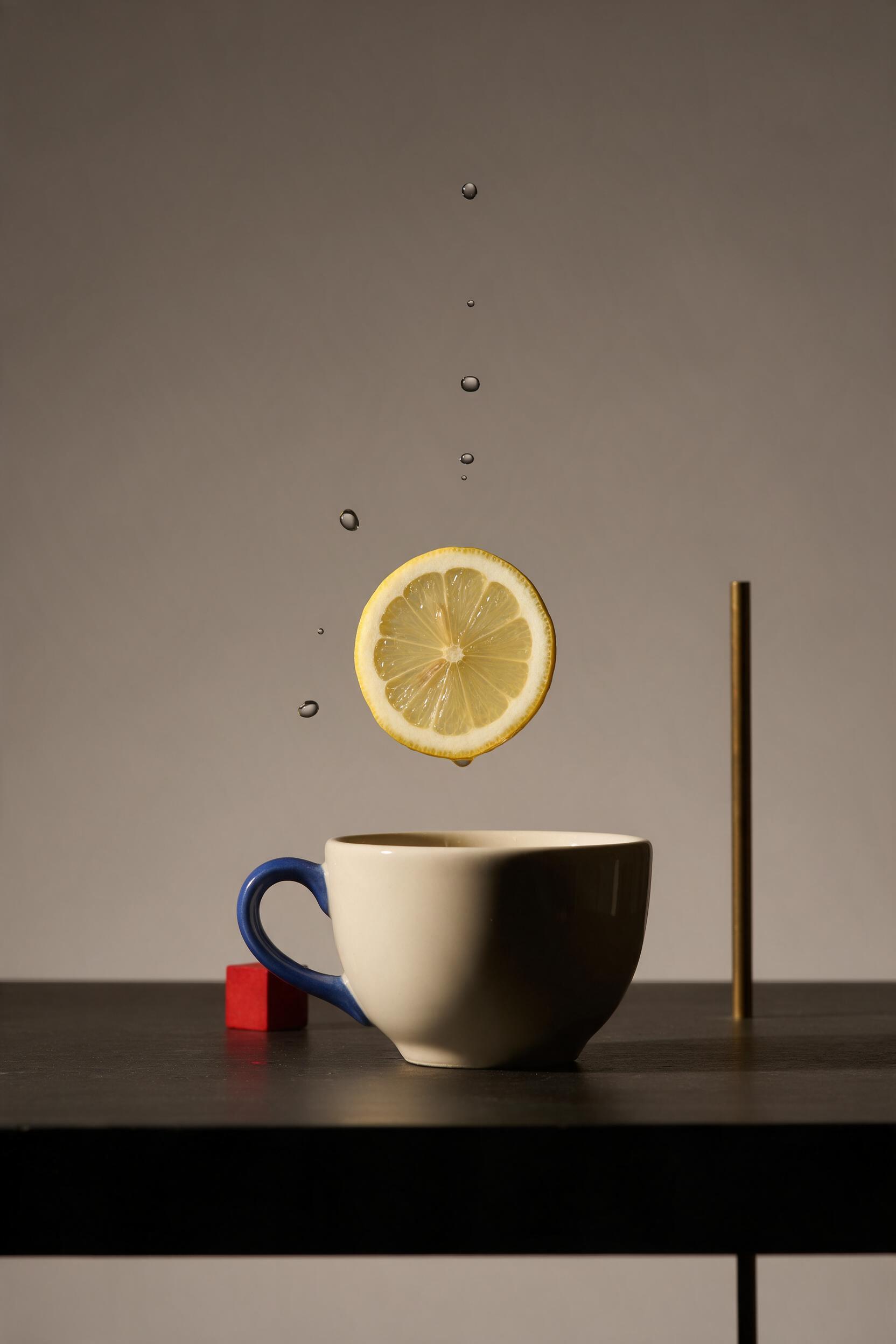
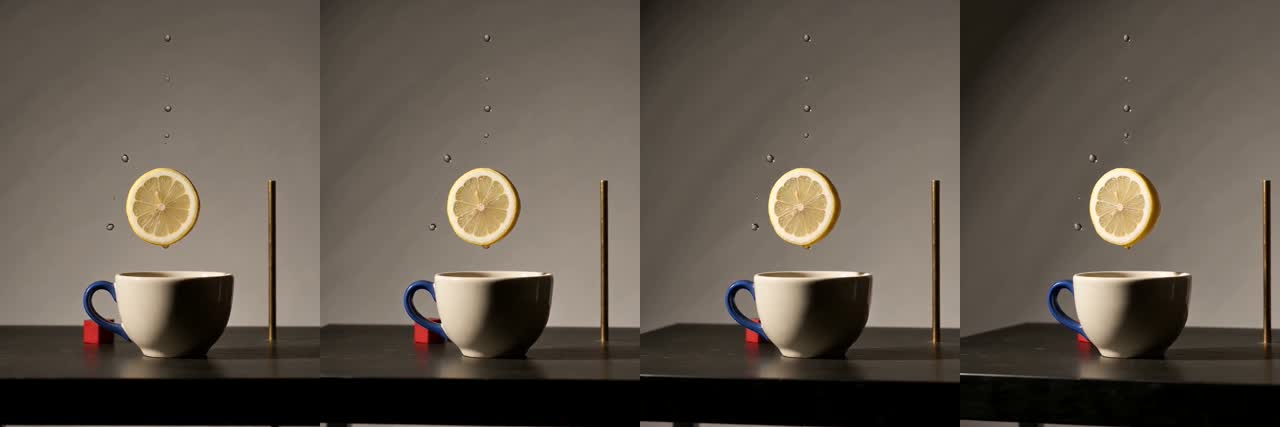
The source missed the five-droplet count. Video framing is wider; the requested 30° was not measured. CTA: Explore the visual recipe.
Pavilion · concept opener

Use before the concept plans and material board. The stone shifts against the posts; the tree separates from the roof.
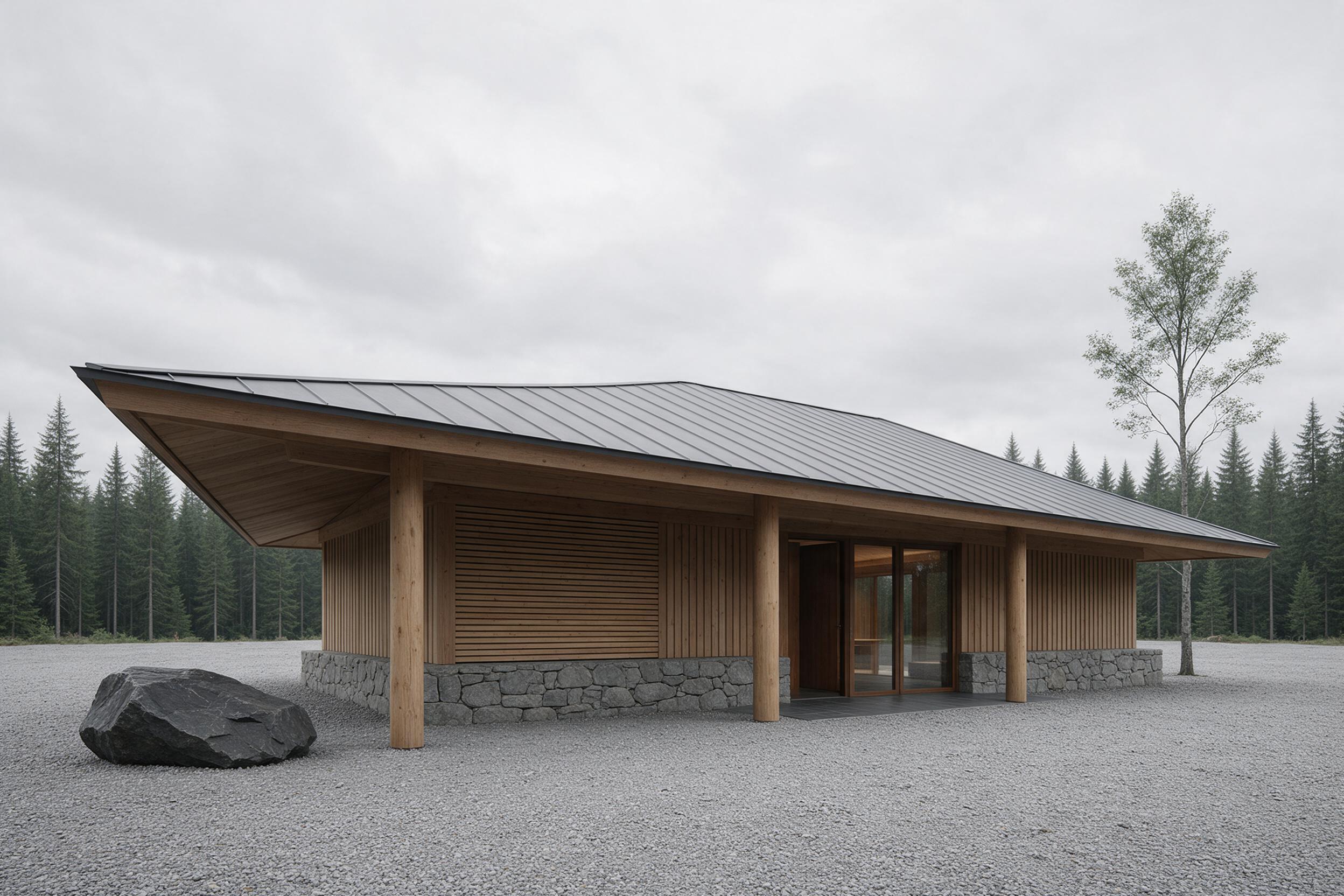
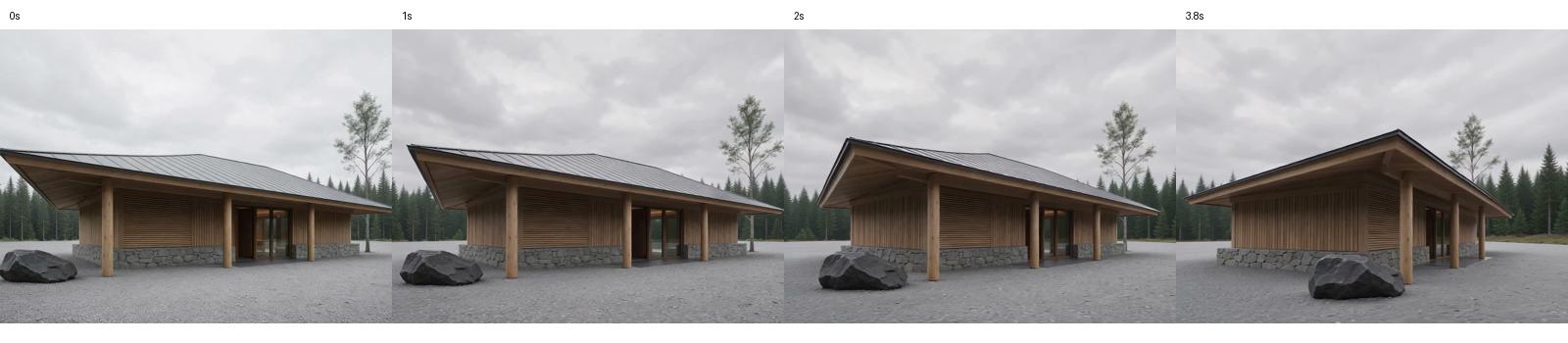
The source has a pitched roof instead of the requested flat roof. Both raw attempts clip the opening. The edit uses the corrected final 2s, then holds the end frame 2s. CTA: View concept plans.
Repeat the workflow
Generate a clear source → inspect its geometry → attach it to a video generator → request a small arc → watch and compare frames → edit the accepted segment.
Images: Seedream 5.0 Pro,2K, one each. Videos: Seedance 2.0 Mini,720p,4s, audio off. Finished edits: silent H.264,24fps,8s; captions added afterward.
Saved Skill · tested limitation
The same private Skill version was recorded on lamp and pavilion. The first pavilion submission omitted the camera instruction despite its connection. One explicit correction improved the usable segment; the chip alone does not prove instruction transfer. Source acceptance, attachment, settings and editing remain manual.
19.234 credits total: three images and four videos, including one correction. New expansion:14.133 credits. No further retry.
These are creative arcs, not verified 360° loops or recovered 3D geometry. Use real additional views for factual product or building details.